
The Xbot Chameleon Review Every Sports Parent Needed
This Xbot Chameleon review is for every parent who has ever tried to film their kid’s game and ended up with thirty minutes of sky and someone else’s child scoring. There are always two kinds of parents on the sidelines. The ones watching the game and the ones filming it while whispering “please stay in frame” like a desperate prayer. I had become the second kind.
My camera roll looked like it had been shot by a raccoon during an earthquake. Every clip ended the same way. Sky. Bleachers. Confusion. Someone yelling “Nice play!” off-camera.
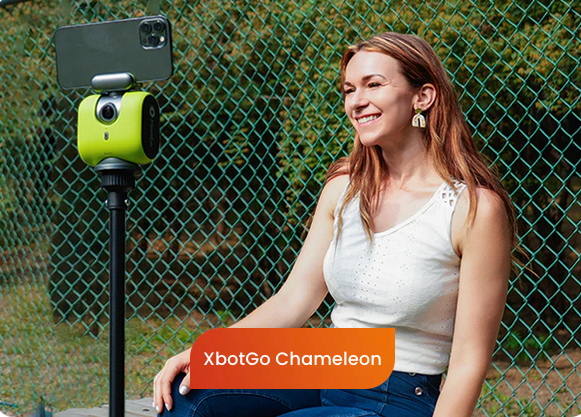
That was before I found the Xbot Chameleon, also known as the XbotGo Chameleon. It’s an AI sports camera mount that promises to free parents everywhere from sideline camera duty. It tracks your kid automatically, recognizes jersey numbers, and follows the action for you. In theory, it’s the best camera for youth sports because it lets you do something you haven’t done in years: actually watch the game.
Game Day Setup: The Calm Before the Chaos

It was football Saturday, the ultimate test environment. The smell of grass, coffee, and collective exhaustion filled the air. I set up the Xbot Chameleon on a tripod at midfield, facing the sea of folding chairs that make up every suburban coliseum.
Setup took less than five minutes. I downloaded the XbotGo app, connected via Bluetooth, and chose “Football Mode.” The interface was simple enough that even a sleep-deprived parent could handle it. I typed in my son’s jersey number, hit confirm, and watched as the green tracking box locked on like a laser-guided snack seeker.
For the first time in my filming career, I felt hope.
First Quarter: The Xbot Chameleon Review Starts Strong
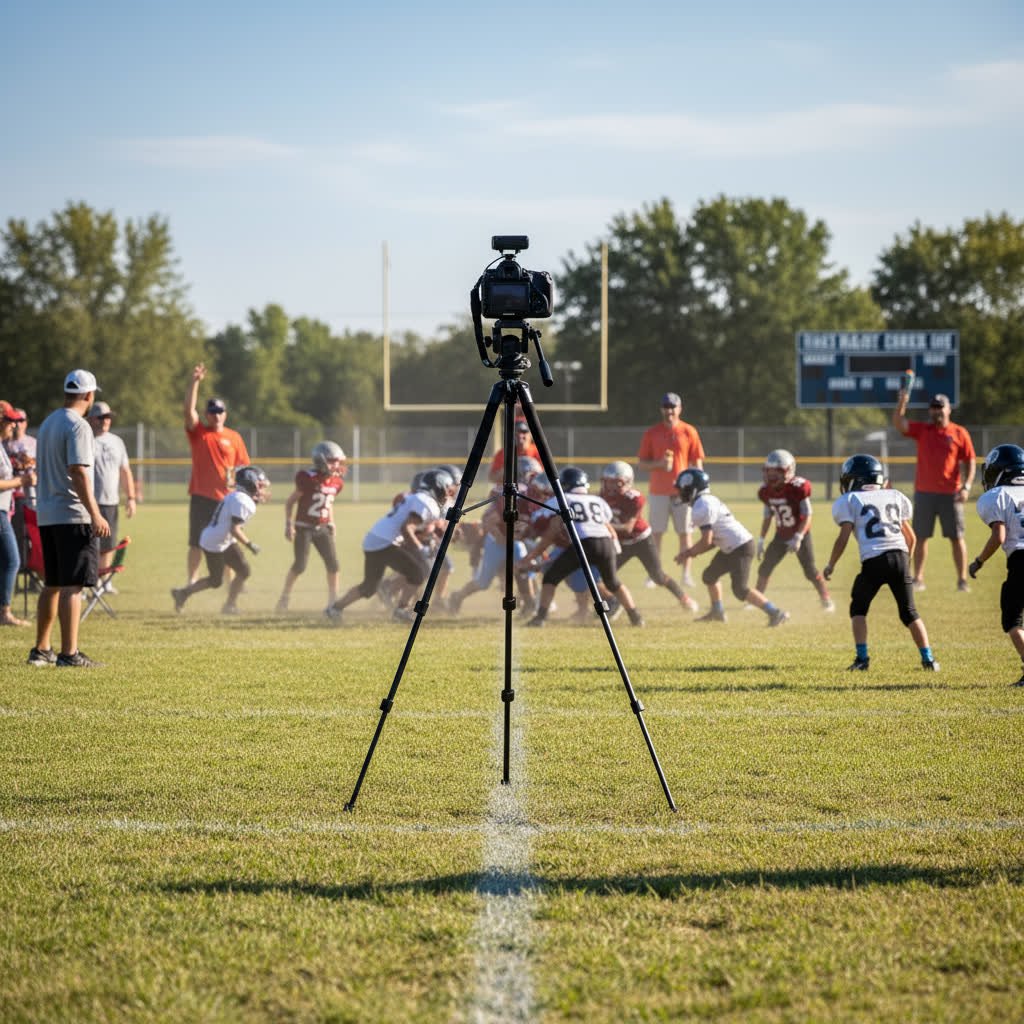
The opening kickoff looked like something out of an ESPN broadcast. The AI sports camera tracked the ball perfectly across the field. No lag. No shake. Just clean, cinematic movement. The sunlight hit the turf and for a moment I forgot this was a youth game and not a Nike commercial.
Parents nearby noticed. One leaned over and asked, “What is that thing?”
“It’s the Xbot Chameleon,” I said, trying to sound casual but knowing full well I looked like I’d just brought future tech to a folding-chair convention.
“So it just films automatically?” another asked.
“Yep. It’s an AI camera. It tracks by number. No hands, no stress.”
For the first ten minutes, I was the envy of the sideline. My footage looked professional. My coffee was still warm. I wasn’t missing a thing.
Second Quarter: The Referee Becomes the Star

Every parent knows youth football eventually devolves into organized chaos. Halfway through the second quarter, it happened. A pileup formed at midfield. The Xbot Chameleon hesitated, trying to decide which player to follow.
Then, in a bold creative choice, it decided the referee was the main character.
For one glorious minute, my expensive AI camera filmed an interpretive documentary about a man in stripes. Every whistle. Every signal. Every dramatic step. My phone looked like the trailer for “Ref: The Untold Story.”
Then the XbotGo Chameleon snapped out of it. The tracking box blinked, refocused, and locked back onto my son’s number. It recovered like nothing had happened, which honestly impressed me. Artificial intelligence might struggle with multi-player chaos, but at least it learns fast.
That moment reminded me why this xbot chameleon review needed to be real. You can’t fake-test something like this in a lab. You need full sideline madness.
Halftime: Reviewing the Footage
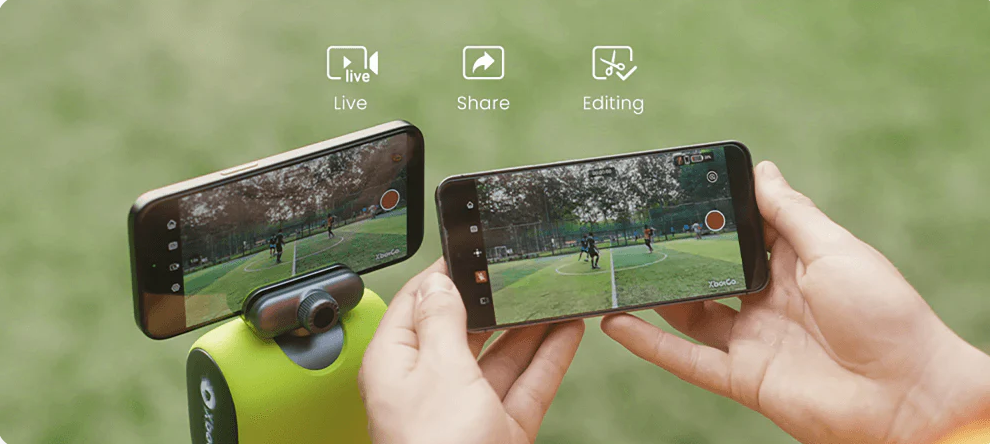
At halftime, I opened the app to check the footage. The video was good—shockingly good. Smooth pans, stable focus, rich color. The tracking looked natural, not robotic. Even the zoom felt human.
Aside from its brief referee fascination, the Chameleon nailed every drive. It followed the ball, captured clean transitions, and stayed steady under bright sunlight.
The battery was still strong, and the tripod setup hadn’t moved despite a dozen kids running past it. So far, this AI sports camera was outperforming most human parents with iPhones.
I finally had usable highlights. No jittery chaos, no shouting, and no regret.
Third Quarter: Real Sidelines, Real Problems
Every game eventually tests your patience. A parent walked in front of the camera during a kickoff return. The Xbot Chameleon froze for a second, trying to understand what just happened. When the person moved, it started tracking a completely different kid.
I fumbled for my phone, reopened the app, and tapped the correct number again. The fix took ten seconds. The mistake lasted just long enough to keep me humble.
That said, the recovery speed was fast. Most cameras would’ve required a restart. This one simply readjusted and got back to work.
Later, a cooler toppled over near the tripod. The camera stayed upright. If there were a “rugged sideline award,” this thing would win it.
By the end of the quarter, I was convinced. The Chameleon wasn’t perfect, but it handled the field like a pro.
Fourth Quarter: Redemption for the XbotGo Chameleon
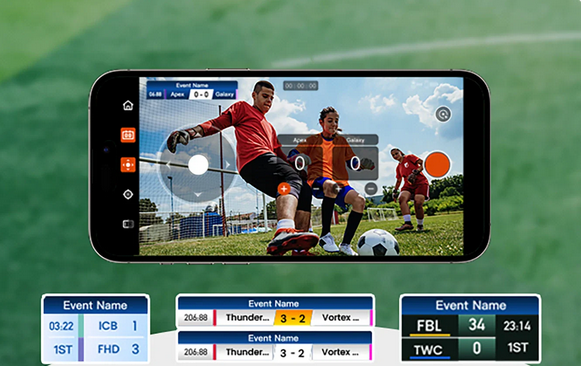
The fourth quarter turned into a highlight reel. The XbotGo Chameleon tracked a long touchdown run flawlessly. No overcorrection. No lag. When I watched it later, it looked like a broadcast clip—steady, clear, and cinematic.
Even the victory huddle footage was beautiful. Normally that moment disappears forever because every parent drops their phone to clap. This time, I had it recorded in perfect clarity.
By the end of the game, I had watched my kid play live and still had actual highlight footage. It felt like a personal milestone in parenting technology.
Postgame: The Sideline Legend Moment
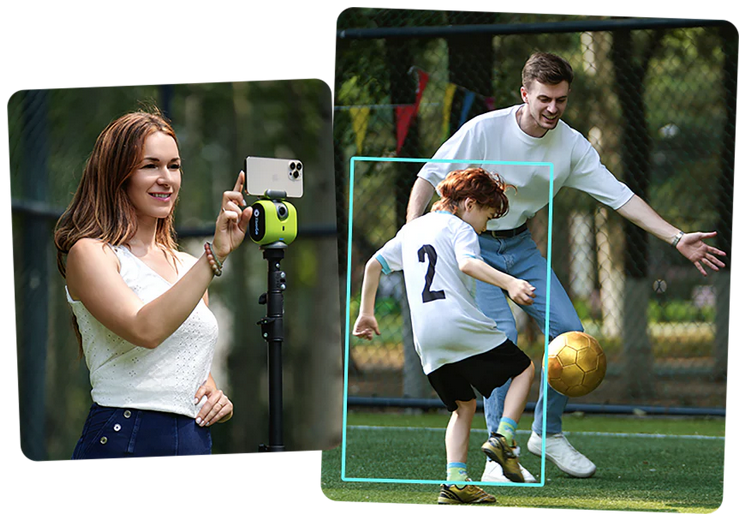
After the final whistle, parents gathered around like I had just discovered fire.
“What’s that camera?”
“Does it really work?”
“Can it do soccer?”
When I explained that it handled more than twenty sports and required no subscription, several pulled out their phones to search for it. One even said, “If that thing saves me from filming another game, I’m in.”
I gave them the XbotGo Chameleon link and told them this AI sports camera wasn’t perfect, but it was smarter than most of us before our morning coffee.
Parents were asking what it was and how it worked, which reminded me of our Sideline Survival Hacks for staying organized through weekend chaos.
Day Two: Lacrosse Brings the Chaos

Football tested stability. Lacrosse would test sanity.
Different field, same setup. I picked Lacrosse Mode, entered the jersey number, and hit start. The Xbot Chameleon locked in. The players took the field. Sticks clashed. Parents shouted. I sat back, skeptical but curious.
The first ten minutes were flawless again. The camera tracked the ball smoothly, pivoting with each pass. It even adjusted exposure when clouds moved overhead.
It wasn’t until three players with similar numbers sprinted side-by-side that trouble hit. The Chameleon picked one, but not mine. For thirty seconds, it followed the wrong kid with the enthusiasm of a golden retriever chasing a tennis ball.
Then it corrected itself. Just like that, it switched back to the right player. The fix was so quick I barely noticed until reviewing later. That’s when I realized the XbotGo Chameleon wasn’t just a gadget. It was learning.
If you’ve survived filming a game while juggling coffee, snacks, and gear, you’ll enjoy our Sideline Shenanigans stories, real tales from the field.Sideline Shenanigans, real tales from the field.
Halftime Two: Reviewing Like a Pro

At halftime, I reviewed the new clips. The footage was crisp. The tracking was confident. Even the mistake was entertaining in its own way. The AI sports camera handled changing light, overlapping players, and wild pace without major issues.
It even made automatic highlight suggestions, which felt like magic. I could select a few plays, clip them instantly, and share them on the team group chat before the next faceoff.
For a parent juggling gear, snacks, and emotional stability, that’s game-changing.
The Parent Revelation
Somewhere between the second and third lacrosse game, it hit me. This xbot chameleon review wasn’t just about a camera. It was about freedom.
The Xbot Chameleon doesn’t replace you as a parent. It just removes one layer of chaos. You still have to cheer, hydrate, and occasionally remind your kid to stop talking back to the ref. But for once, you can do it without also worrying about missing the shot.
I could see the full field. I could clap. I could live like the parents who always seem weirdly calm.
The footage looked great. The setup was painless. The Chameleon wasn’t flawless, but it was reliable in a world that rarely is.
Digging Into the Features
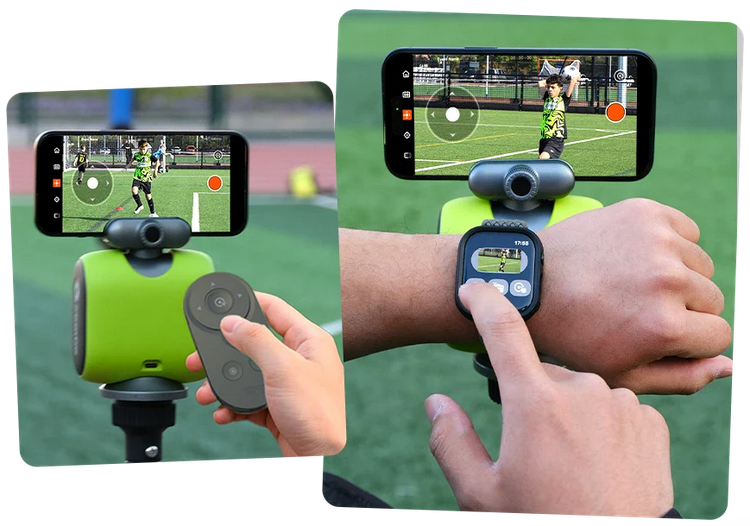
After two straight days of testing, I started exploring everything the Xbot Chameleon could actually do. The AI sports camera offers more options than most parents will ever need. You can livestream, store videos in the cloud, and even build highlight reels inside the app. The menus are simple. Tap a button, trim the play, and post it before the team has finished high-fiving.
The footage uploads automatically to the free 20 GB cloud. That storage goes further than expected because the compression is efficient. A full football game only used around three gigabytes at 4K quality. If you want more space, you can transfer the files to your phone or external drive.
Battery life held close to six hours. That covers most double-headers but not a full weekend tournament, so a portable charger is still your best friend. The tripod mount felt sturdy and didn’t wobble even when the wind kicked up.
For parents comparing options, this xbot chameleon review found the mount easier to use than gimbal setups or cameras that require subscriptions. Everything happens through one app.
Real-World Performance
The XbotGo Chameleon handled outdoor light changes smoothly. Morning sun, clouds, or stadium lights never threw it off for long. The autofocus rarely hunted, and the exposure stayed balanced. The tracking box adjusted when players crossed paths. It missed occasionally, but every time it corrected itself within seconds.
When testing the AI sports camera indoors during a basketball scrimmage, performance dipped slightly. The dim gym lighting confused the sensors a little, but the footage was still usable. The takeaway is simple. The Chameleon performs best outdoors or under strong light.
Sound is recorded through your phone, so crowd noise comes through clearly. If you want commentary or sideline reactions, that actually works in your favor.
Usability for Parents and Coaches
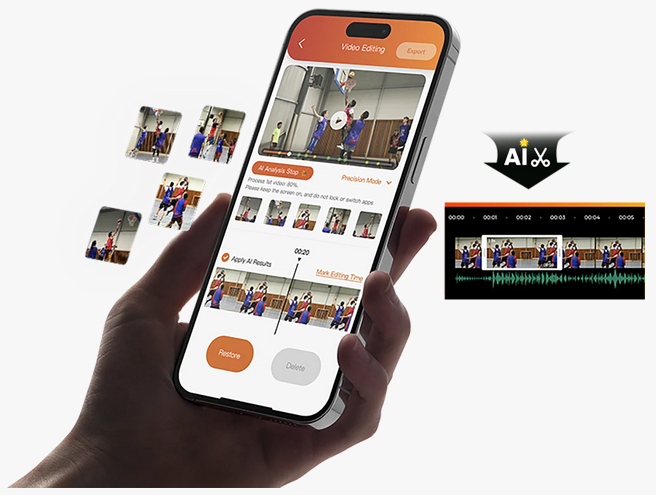
If you run a team account or manage recruiting clips, this device can cut your editing time in half. During this xbot chameleon review, I used the in-app trimming tool to create highlight snippets right after each game. I sent them to our group chat within minutes. That speed made me look like a tech wizard.
Coaches loved it too. The footage was stable enough for game review. No shaking. No confusion about who had the ball. The camera followed the play well enough to identify mistakes and good decisions.
If you pair the Xbot Chameleon with a larger power bank, it can easily record several back-to-back games. The app notifies you when the battery runs low, saving you from those heartbreaking half-recorded plays.
Comparing the Competition
Every gadget lives or dies by its rivals. The closest alternatives are the Veo Cam 2 and Pixellot Air. Both require subscriptions and cost more. They also come with heavier setups. The Xbot Chameleon, by contrast, uses your smartphone as the camera lens, which keeps it portable and far cheaper.
The trade-off is that your phone stays mounted during filming. If you rely on it for communication or scoring apps, bring a backup device. Still, for the price and simplicity, the Chameleon holds its ground.
The Good Stuff
- Easy setup and quick pairing
- Smooth 4K video with realistic color
- Works for football, soccer, lacrosse, baseball, and more
- Free cloud storage, no subscription fees
- Smart recovery when tracking gets confused
- Livestream capability for grandparents and far-away fans
The Not-So-Good Stuff
- Slightly shorter battery life than advertised
- Needs consistent lighting for best performance
- Occasional mis-locks on similar jerseys
- Uses your phone, which means no texting mid-game
- App interface could use clearer icons
None of these flaws ruin the experience. They just remind you that this is early AI tech learning to survive the sideline ecosystem.
A Parent’s Reality Check
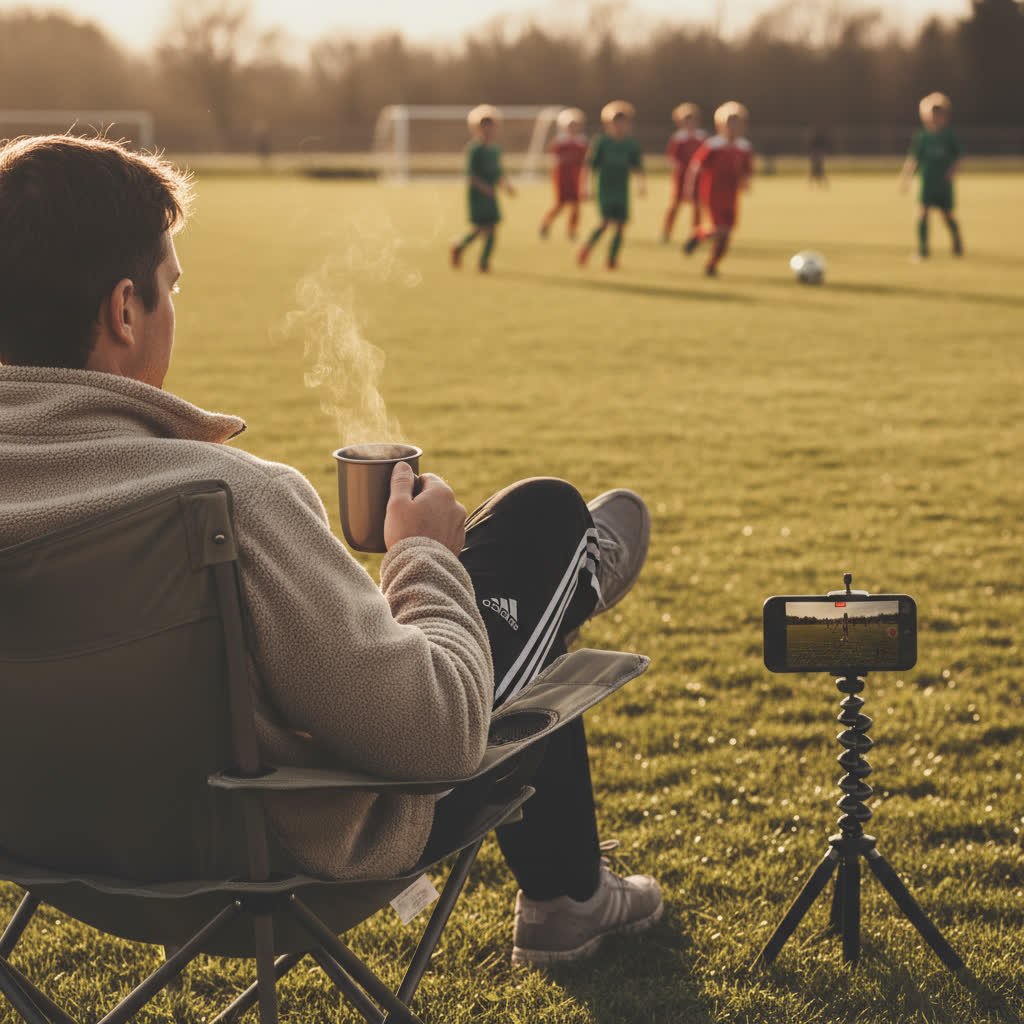
This xbot chameleon review started because I was tired of missing the game while filming it. After two full days of testing, I can say the Xbot Chameleon gives parents their weekends back. It’s not magic, but it’s close enough.
It captures real plays, not chaos. It lets you watch instead of record. It handles the job most of us hate doing.
During one of the lacrosse games, I realized something unexpected. I was cheering instead of filming. When my kid scored, I actually saw it happen in real time. That alone was worth the purchase.
If you’re the default team videographer, this device changes your life. It turns camera duty into something automated and trustworthy. You can still double-check through the app, but you no longer need to stare through a tiny screen for hours.
Who Should Buy the Xbot Chameleon
| Parent Type | Verdict | Reason |
|---|---|---|
| Team Parent who films every play | Buy it | Saves time and sanity |
| Recruit-highlight parent | Buy it | Clear footage for college clips |
| Chill parent who hates tech | Maybe | Simple setup but not foolproof |
| Occasional filmer | Maybe | Worth it if you value your weekends |
| Old-school tripod loyalist | Skip it | You already enjoy suffering |
For everyone else, it’s an easy recommendation.
Tips to Get the Best Results
- Use a tripod at least five feet tall and weighted.
- Place the mount around midfield for balanced tracking.
- Avoid backlighting. Keep the sun behind you.
- Use contrasting jersey numbers for best recognition.
- Test the mode before each game; football and lacrosse use different motion patterns.
- Bring an external power bank for tournaments.
- Preview the first few minutes to confirm lock-on accuracy.
These small adjustments turn good footage into professional-looking video.
The Sideline Legends Verdict
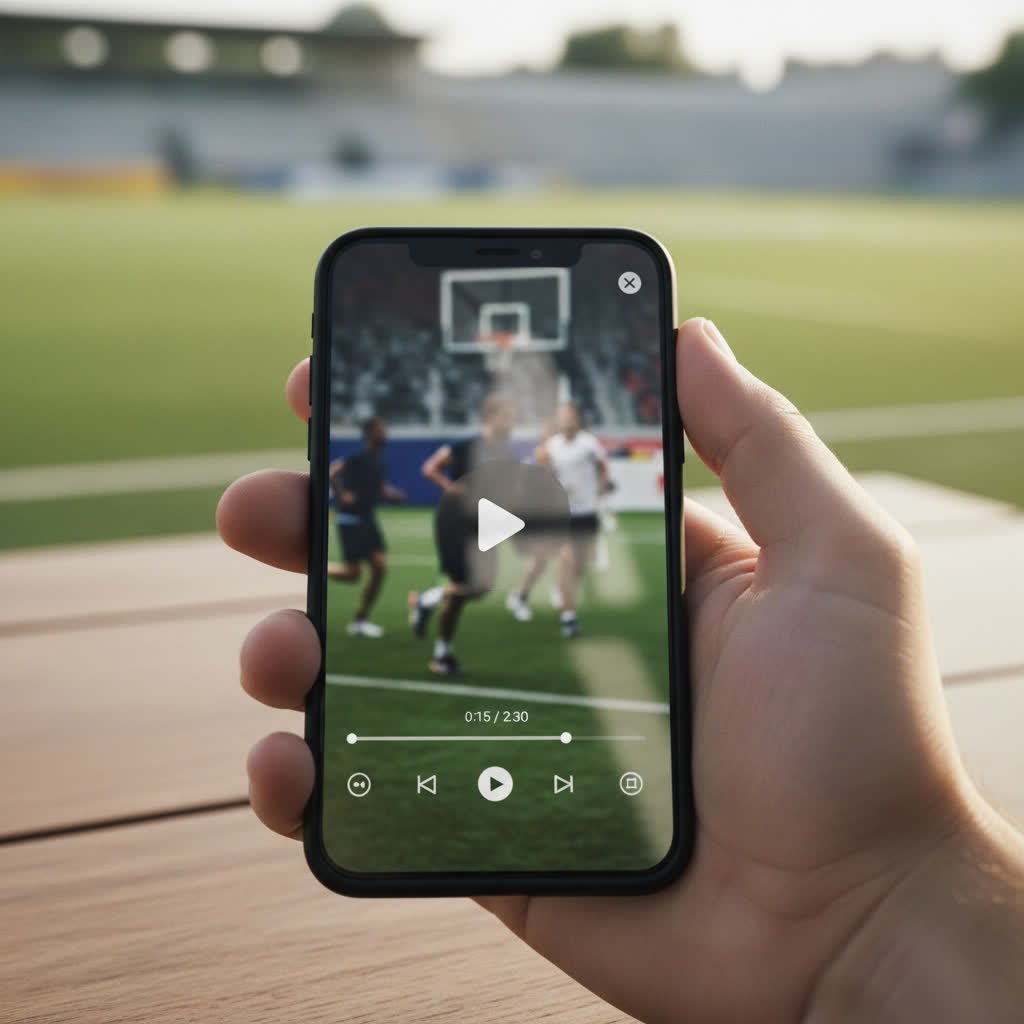
After two sports, several hours of footage, and one minor existential crisis about being replaced by a robot, here is the verdict.
The Xbot Chameleon does what it promises most of the time. It records clean, stable video and learns from its mistakes. It has flaws, but they’re forgivable. For parents, this is the closest thing to cloning yourself so you can cheer and film simultaneously.
In the world of AI sports cameras, the Chameleon sits in a sweet spot between affordability and quality. It delivers professional-looking results without needing a film degree. It’s intuitive enough for first-time users and flexible enough for serious highlight collectors.
If you want to stop filming like a human security camera and start enjoying the game, the Xbot Chameleon deserves a spot in your sideline arsenal.
You can check it out on the official site here: Xbot Chameleon Official Store. Every purchase through that link supports Sideline Legends, which helps us keep writing honest reviews and maybe buy a chair that doesn’t collapse during halftime.
Final Thoughts
This xbot chameleon review proves that technology can actually make parenting easier, at least for a few hours on the weekend. The device isn’t perfect, but neither is any parent trying to juggle recording, cheering, and remembering who brought snacks.
The Chameleon gives you back something rare: the ability to enjoy the moment. It frees your hands, quiets your stress, and still delivers footage good enough to replay at dinner.
So yes, the robots are coming, but this one is on our side.
If you enjoyed this, check out our Tips and Hacks for Sideline Parents.
Frequently Asked Questions About the Xbot Chameleon
What is the Xbot Chameleon?
The Xbot Chameleon, also known as the XbotGo Chameleon, is an AI sports camera mount that uses artificial intelligence to automatically follow and record players during games. It connects to your phone through the XbotGo app and turns it into a hands-free camera operator.
How does the Xbot Chameleon work?
Once you attach your phone to the mount and pair it with the app, you select your sport and your child’s jersey number. The AI tracking system locks onto that number and automatically pans, tilts, and zooms to keep the player in frame. It can record or livestream while saving everything to the cloud.
Can the Xbot Chameleon film different sports?
Yes. It supports over twenty sports including football, lacrosse, soccer, basketball, baseball, and hockey. Each sport mode adjusts how the camera moves and predicts play direction. During this xbot chameleon review, the camera handled both football and lacrosse smoothly.
Does it work indoors?
It works best outdoors or under bright lights. Indoor gyms with dim or uneven lighting can occasionally confuse the tracking. If you plan to use it inside, position it near strong overhead lighting for the best results.
How long does the battery last?
Battery life averages between six and eight hours, depending on your phone model and recording settings. For tournaments or long double-headers, bring a portable charger. A good one is listed on our Sideline Gear page.
Does the Xbot Chameleon require a subscription?
No. That’s one of the biggest advantages. You get free 20 GB cloud storage, app access, and AI tracking with no ongoing fees. You can upgrade storage later if you record a lot of games, but the base plan works for most families.
Can I livestream games?
Yes. The Xbot Chameleon can stream directly to YouTube, Facebook, or other platforms through the app. Parents and relatives can watch in real time from anywhere.
What devices are compatible?
It works with most recent iPhones and Android phones that support Bluetooth and 4K video recording. Always check the compatibility list on the XbotGo Chameleon official site before ordering.
How is the video quality?
Video quality depends on your phone’s camera. When using newer smartphones, the footage looks professional. During our xbot chameleon review, the 4K setting captured crisp colors and clear action even under cloudy skies.
How much does it cost?
Pricing varies slightly depending on region and promotions, but the Xbot Chameleon typically sells for around $300 USD. Compared to subscription-based systems like Veo or Pixellot, it’s far more affordable long-term.